KnotNote · iPhone
How to keep track of wedding cash gifts
Open one envelope at a time while you still have the card beside you. A name, an amount and the wedding date are enough to find the gift again when you write a thank-you note or get an invitation from that guest.
Start with the guest
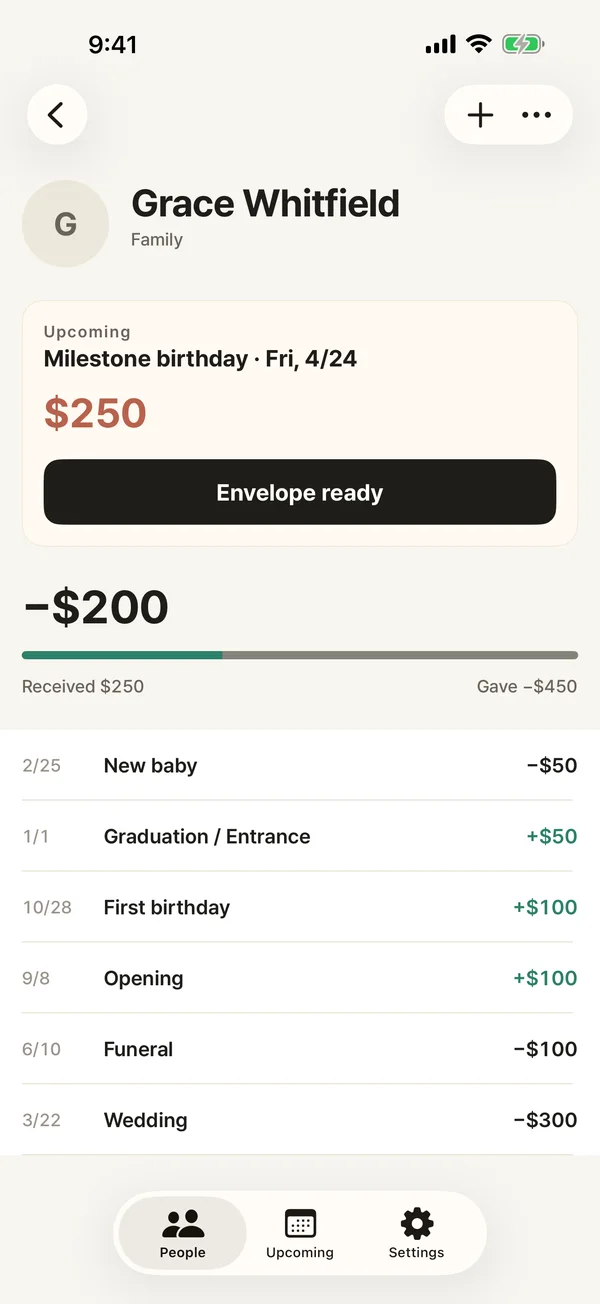
Look up the name on the envelope in KnotNote. Open the existing person, or add their name and how you know them. If two guests share a name, check whether you picked your colleague or your college friend before entering the gift.
Record what you received
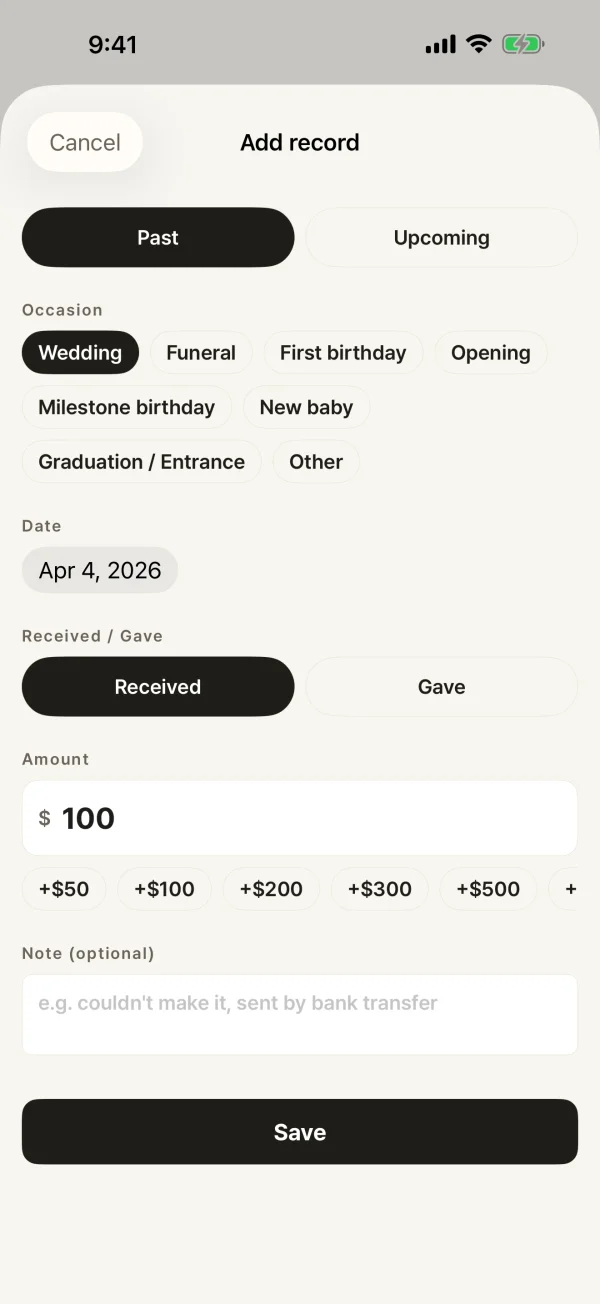
On the guest’s page, tap +. Under “Past”, choose “Wedding”, set the wedding date and select “Received”. Enter the amount. If the money came by transfer, a short memo will explain why there’s no envelope to match. Tap “Save”.
Look it up when the next invitation arrives
Search for the guest by name and open the wedding entry to check the amount and memo. When you give them a gift at their wedding, add a separate entry marked “Gave”. Both occasions will be there under the same name.