Dunit · iPhone
Add a task with the iPhone Action Button
You’re halfway down the grocery aisle when you remember the coffee filters. Hold the Action Button, type “Pick up coffee filters,” and the task lands on today’s list in Dunit.
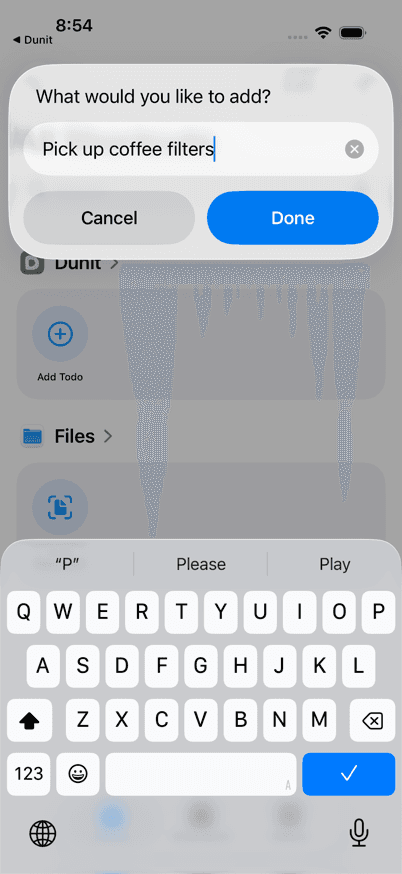
Try Add Todo in Shortcuts
Install Dunit and open it once. In Apple’s Shortcuts app, open All Shortcuts, find Dunit, and tap Add Todo. When it asks “What would you like to add?”, type a task and tap Done.
Open Dunit and look under Today. Your task is there with today’s date. You can use the shortcut here even on an iPhone without an Action Button.
Give it the Action Button
- On an iPhone with an Action Button, open Settings → Action Button.
- Swipe to Shortcut and tap Choose a Shortcut.
- Find Dunit and choose Add Todo.
Next time, press and hold the button until the prompt appears. Enter a task and confirm. You can open your list later.